daily dashboard
A calm desk for the day. Tasks, a pomodoro timer, a brain dump and a month planner, all offline.
coming soon
files are on their way
my favourite one
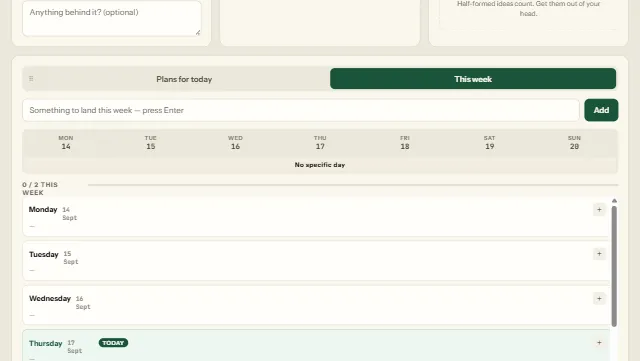
screenshots
-
the week view, with a plan for each day
about it
I built this to keep a whole working day on one screen without signing up for anything. It runs as a real Windows program, works with no internet connection, and keeps your data in a folder on your own computer.
Google sync is optional and off by default. Switch it on and your tasks, journal and settings follow you between machines.
Windows will show a blue "Windows protected your PC" box the first time, because the app isn't code-signed. Click More info → Run anyway.
what's inside
- tasks with priorities, estimates, reminders and drag-to-reorder
- pomodoro, countdown and stopwatch timer
- a month planner to schedule a task for any day
- brain dump, history and a completion streak
- an IT ticket log that exports to Excel
- six themes, four fonts, light and dark
what's new
-
4.1.0latest
- IT ticket log. A ticketing page with date-based IDs, an activity log, filters and Export to Excel.
- Google sync (optional, off by default) keeps tasks, journal and settings in step across computers.
-
4.0.1
- Filters under the add box: by priority, by when a task was added, today or everything, newest or oldest.
-
4.0.0
- Priorities on every task, with high-priority rows flagged.
- Drag to reorder tasks by hand.
- Month planner (
P): schedule a task for any day and drag it between days.